Top 10 Ticketing Platforms Compared: Fees, Features, and User Experience


Choosing a ticketing platform affects far more than where customers buy admission. The right service shapes your event registration process, payment costs, attendee communications, entry speed, and access to event analytics. This comparison examines 10 widely used platforms for different event types, from small community gatherings to concerts, conferences, classes, and recurring events.
How to Compare Ticketing Platforms
Compare ticketing platforms across total cost, organizer tools, buyer experience, integrations, support, and scalability. A low advertised ticket fee may look attractive until payment processing, subscriptions, payout rules, or optional features are added.
Use a practical six-part test before choosing a service:
- Pricing transparency: Check per-ticket fees, service charges, payment processing, taxes, refunds, and who pays each cost.
- Core ticketing: Look for event creation, multiple ticket types, promo codes, capacity limits, waitlists, transfers, and refunds.
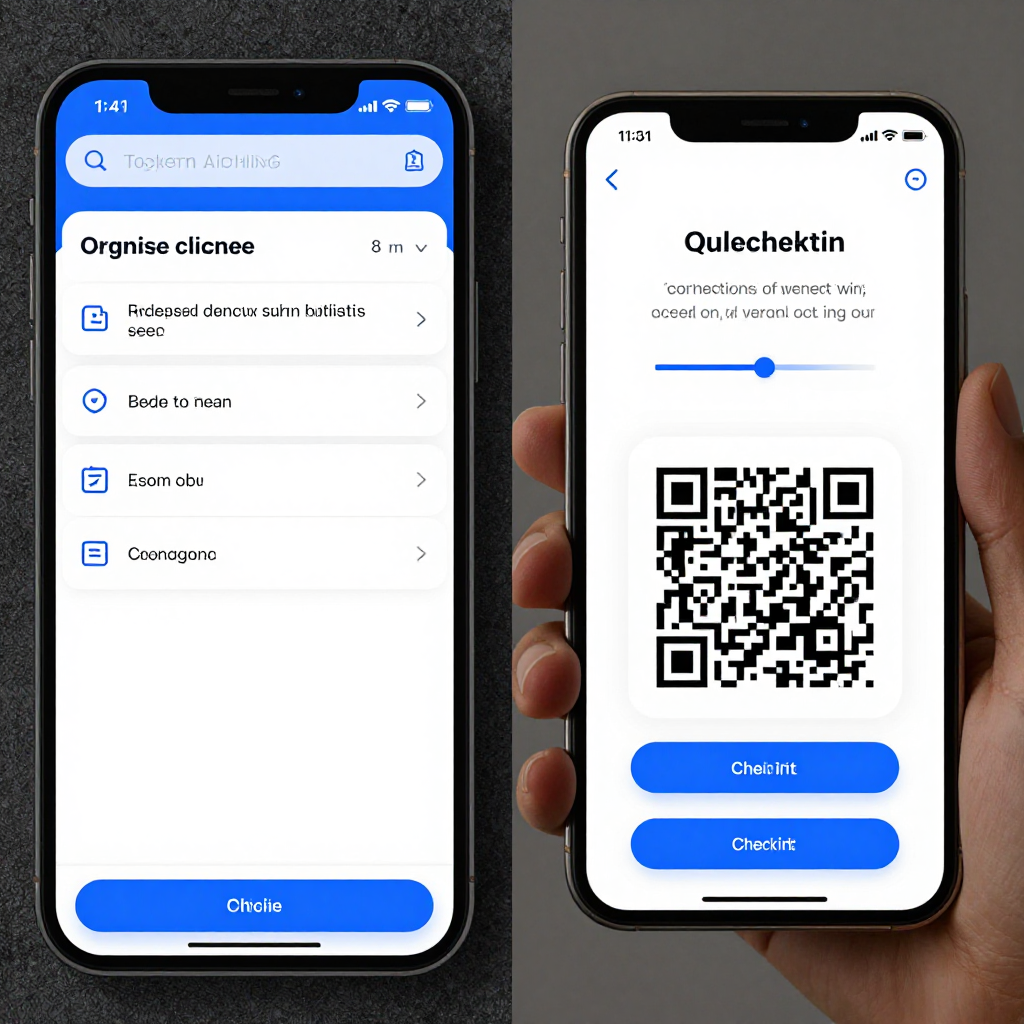
- Entry management: Confirm that mobile ticketing and QR code check-in work reliably on the devices and connectivity available at your venue.
- Integrations: Review connections to email marketing, CRM tools, accounting systems, calendars, websites, and payment providers.
- Usability: Assess both the organizer dashboard and the ticket buyer checkout flow. A powerful platform can still create unnecessary work.
- Scale and support: Consider recurring events, reserved seating, multiple venues, high-demand onsales, reporting, and access to human support.
Also test the complete journey: create an event, buy a ticket, receive it, scan it, issue a refund, and export a report. That short exercise often reveals more than a feature checklist.
Quick Comparison of the Top 10 Ticketing Platforms
The best ticketing platform depends on event complexity, audience, and fee tolerance. Eventbrite and Ticket Tailor suit many small and mid-sized events, while venue-focused services such as Ticketmaster and AudienceView address more complex operations.
| Platform | Ideal use case | Pricing approach | Standout capability | User experience |
|---|---|---|---|---|
| Eventbrite | Public events and discovery | Per-ticket fees and processing | Marketplace, promotion, registration | Simple for most users |
| Ticket Tailor | Independent organizers | Platform fee model with payment costs | Flexible branding and integrations | Clear and practical |
| Humanitix | Charities and mission-led events | Fees vary by arrangement and event | Donation-oriented model | Accessible and approachable |
| Universe | Social and lifestyle events | Per-ticket and processing charges | Embeddable sales and discovery | Fast, consumer-friendly checkout |
| TicketLeap | Small organizations | Per-ticket pricing | Basic event management | Easy to learn |
| TryBooking | Community and recurring events | Transaction-based pricing | Registrations and flexible forms | Functional and configurable |
| Ticketmaster | Large venues and major onsales | Contract-based arrangements | Large-scale distribution | Powerful, operationally complex |
| AudienceView | Performing arts and venues | Custom enterprise pricing | Reserved seating and CRM | Deep but requires training |
| Spektrix | Arts organizations | Subscription or custom pricing | Box office, fundraising, marketing | Strong for specialist teams |
| Whova | Conferences and professional events | Custom or event-based pricing | Agenda, networking, attendee app | Rich event experience |
Pricing changes by country, currency, volume, payment method, and contract. Treat the table as a starting point, then request a current quote or calculate a sample order.
Platform-by-Platform Reviews
Each platform serves a different operating model. The sections below compare fees, event setup, ticket sales, check-in, integrations, strengths, limitations, and best-fit users without treating one service as a universal winner.
Eventbrite
Eventbrite combines event creation, online payments, public event discovery, email promotion, mobile ticketing, and QR code check-in. Its familiar interface helps first-time organizers publish quickly, and its marketplace may help buyers discover public events.
- Strengths: Fast setup, registration forms, promo codes, reporting, mobile check-in, and broad buyer familiarity.
- Limitations: Total ticket fees can be significant, branding and data control may be less flexible, and advanced venue requirements may need another system.
- Best fit: Public classes, workshops, networking events, festivals, and small-to-mid-sized paid events.
Ticket Tailor
Ticket Tailor focuses on independent organizers that want branded sales pages, website embedding, flexible ticket types, and control over the buyer journey. It commonly uses a platform-fee model alongside payment processing, so organizers should compare the combined cost.
- Strengths: Customizable checkout, integrations, recurring events, discount codes, and transparent operational controls.
- Limitations: It offers less built-in marketplace exposure than Eventbrite, and some advanced features require configuration.
- Best fit: Museums, clubs, venues, nonprofits, and businesses selling through their own websites.
Humanitix
Humanitix provides event registration, ticket sales, donations, payments, attendee management, and check-in with a mission-led positioning. Its model can appeal to charities and organizers that want ticketing activity to support social outcomes.
- Strengths: Accessible registration, donation functionality, useful reporting, and support for community events.
- Limitations: Feature depth and regional availability should be checked for complex seating or enterprise workflows.
- Best fit: Nonprofits, schools, fundraisers, community groups, and purpose-driven events.
Universe
Universe is designed for online event promotion and ticket sales, with embeddable checkout, mobile-friendly purchasing, and tools for social or lifestyle events. It can simplify sales when the audience is comfortable purchasing from a link shared through social channels.
- Strengths: Consumer-oriented checkout, event pages, promotional tools, and mobile ticket delivery.
- Limitations: Organizers needing deep CRM, reserved seating, or complex box-office operations may find it limited.
- Best fit: Nightlife, pop-ups, fan events, markets, and social gatherings.
TicketLeap
TicketLeap offers straightforward event publishing, ticket types, online payments, customer lists, and check-in tools for smaller organizations. Its simpler scope can be an advantage when an organizer does not need enterprise configuration.
- Strengths: Accessible setup, basic reporting, custom ticket options, and practical event administration.
- Limitations: It may not suit high-volume onsales, advanced reserved seating, or large multi-venue programs.
- Best fit: Local performances, school events, fundraisers, and independent producers.
TryBooking
TryBooking supports ticketing and event registration with configurable forms, booking options, payments, and attendee management. Its flexibility makes it useful for organizations running repeated events or collecting detailed registration information.
- Strengths: Recurring events, registration fields, reporting, group bookings, and adaptable workflows.
- Limitations: Interface preferences and payment availability vary by market, so test the buyer flow locally.
- Best fit: Clubs, associations, workshops, community programs, and recurring activities.
Ticketmaster
Ticketmaster is built for high-demand ticket distribution, large venues, major tours, and complex inventory. Its scale, fraud controls, marketing reach, and operational infrastructure come with contract-based arrangements and a more involved implementation process.
- Strengths: Large-scale sales, venue operations, reserved seating, distribution, and demand management.
- Limitations: It is rarely the simplest or most economical choice for a small event, and commercial terms are typically customized.
- Best fit: Arenas, stadiums, major concerts, and high-volume entertainment events.
AudienceView
AudienceView provides ticketing, box-office tools, customer relationship management, marketing, and venue-oriented operations. It is suited to organizations that need a connected view of admissions, memberships, donations, and audience behavior.
- Strengths: Reserved seating, CRM, subscriptions, reporting, and performing-arts workflows.
- Limitations: Implementation, training, and pricing are heavier than for self-service platforms.
- Best fit: Theaters, cultural institutions, venues, and professional performing-arts organizations.
Spektrix
Spektrix combines ticketing with box-office management, marketing automation, fundraising, memberships, and audience development for arts organizations. Its value increases when ticket sales connect closely with patron relationships.
- Strengths: Arts-specific CRM, reserved seating, memberships, donations, segmentation, and reporting.
- Limitations: Specialist functionality requires process discipline, staff training, and a suitable budget.
- Best fit: Theaters, galleries, museums, and nonprofit arts organizations.
Whova
Whova combines event registration with agendas, attendee profiles, networking, announcements, and an event app. It is particularly useful when the attendee experience continues after the ticket purchase.
- Strengths: Conference registration, mobile app, agenda management, networking, messaging, and event analytics.
- Limitations: It may be more functionality than a simple admission-only event requires, and pricing is often quote-based.
- Best fit: Conferences, trade shows, corporate meetings, and professional associations.
Ticketing Platform Fees Explained
Ticketing platform fees usually combine a platform charge, service charge, payment processing, and optional add-ons. The amount charged to the organizer, ticket buyer, or both depends on the provider and the selected fee settings.
- Per-ticket fees: A fixed amount, percentage, or combination charged for each paid ticket.
- Service charges: Buyer-facing fees added at checkout, sometimes absorbed by the organizer instead.
- Payment processing: Card or digital-wallet costs that may be separate from the platform fee.
- Subscriptions: Monthly or annual plans that can lower transaction costs but create a fixed expense.
- Refund costs: Ask whether platform fees and payment processing are returned when a ticket is refunded.
- Add-ons: Reserved seating, branded pages, email credits, badge printing, API access, or premium support may cost extra.
Calculate the effective cost per paid attendee using this formula: total organizer cost plus unrecovered buyer-facing costs, divided by tickets sold. Run the calculation at three volumes, such as 100, 1,000, and 10,000 tickets. A subscription may be wasteful for a single small event but economical for a busy venue.
Key Features for Organizers and Attendees
Essential ticketing features cover event creation, payment, delivery, entry, communication, and reporting. The right balance depends on whether you sell general admission, timed entry, reserved seats, memberships, or conference registrations.
- Event creation: Custom pages, schedules, capacity controls, recurring dates, registration questions, and multiple ticket tiers.
- Sales tools: Early-bird pricing, bundles, promo codes, group bookings, waitlists, affiliate links, and embedded checkout.
- Payments: Cards, digital wallets, local payment methods, tax settings, payouts, invoices, and secure online payments.
- Delivery: Email confirmations, downloadable tickets, mobile ticketing, wallet passes, transfers, and accessibility information.
- Entry: QR code check-in, scanning permissions, offline capability, duplicate-ticket alerts, and attendance exports.
- Communications: Automated reminders, schedule updates, cancellation notices, segmented emails, and SMS where available.
- Analytics: Sales by ticket type, channel, time, location, attendance, refunds, revenue, and campaign source.
- Integrations: Website tools, CRM, email marketing, accounting, calendar, livestream, and access-control systems.
A platform with 50 features may still be a poor choice if its QR code check-in fails offline or its reports cannot separate complimentary tickets from paid admissions.
User Experience and Ease of Use
User experience should be evaluated on both sides of the transaction: organizer workflow and ticket buyer checkout. Buyers need a fast, trustworthy path to purchase, while organizers need clear controls during setup, sales, and entry.
For organizers, inspect whether the dashboard makes common tasks obvious: editing ticket inventory, changing prices, exporting attendees, issuing refunds, and assigning check-in staff. A clean workflow can save hours during event week, when mistakes are costly.
For ticket buyers, check page speed, mobile layout, guest checkout, fee disclosure, payment options, confirmation emails, and ticket retrieval. Avoid platforms that hide the final price until the last screen if transparent pricing matters to your audience.
Accessibility also deserves a practical test. Review keyboard navigation, readable contrast, screen-reader labels, alternative purchase methods, and accessible venue information. Support quality matters when a payment fails or an attendee cannot open a mobile ticket. Enterprise tools usually offer deeper support, while self-service platforms trade personal assistance for lower overhead.
How to Choose the Best Ticketing Platform
Choose the best ticketing platform by matching its fee model and operational features to your event size, sales volume, venue, audience, and growth plans. Start with requirements rather than brand recognition.
- Define the event: Record expected attendance, ticket price, free or paid status, sales period, venues, seating plan, and recurring dates.
- Map the attendee journey: Decide how customers discover the event, pay, receive tickets, request refunds, and enter.
- List operational requirements: Include registration questions, staff permissions, QR code check-in, reserved seating, integrations, tax receipts, and analytics.
- Compare total cost: Request a complete fee schedule and calculate organizer and buyer costs at realistic sales volumes.
- Run a live test: Publish a test event, purchase a ticket on mobile, scan it, refund it, and export the resulting data.
- Check the exit plan: Confirm data export, customer ownership, contract terms, cancellation rules, and portability if your needs change.
For a small paid event, prioritize transparent fees, quick setup, and simple check-in. For a recurring program, prioritize reusable event templates, customer records, and automated communications. Large venues should focus on reserved seating, access control, peak-demand support, and integration depth. Conferences may gain more from Whova-style agendas and networking than from a basic admission checkout.
Frequently Asked Questions
What fees do ticketing platforms typically charge?
Common costs include per-ticket platform fees, buyer service charges, payment processing, subscriptions, refund charges, and optional features. Always confirm whether tax is included and whether fees are paid by the organizer, passed to the ticket buyer, or shared.
Which ticketing platform is best for small events?
Eventbrite, Ticket Tailor, TicketLeap, Humanitix, and TryBooking can suit small events, depending on location, payment needs, branding, and whether you need public discovery. Compare the total cost for your expected ticket volume rather than choosing by headline pricing.
Can organizers pass ticketing fees on to buyers?
Many platforms let organizers pass some or all fees to ticket buyers, absorb them, or use a blended model. Local consumer-protection and tax rules may affect how charges must appear, so make the final price clear before purchase.
What features should a ticketing platform include?
At minimum, look for event creation, ticket types, online payments, mobile ticket delivery, QR code check-in, refunds, attendee communications, exports, and event analytics. Add reserved seating, CRM, networking, or access-control integrations only when your event requires them.
How do online ticketing platforms handle check-in and refunds?
Most use mobile apps or browser tools to scan QR codes, validate tickets, flag duplicates, and record attendance. Refund processes vary: some allow individual or bulk refunds, while others require organizer support. Verify refund deadlines, fee treatment, offline scanning, and payout timing before launch.